Upload Code
Download the code by clicking this link: Download Code
The downloaded compressed package contains code, flash_download_tool, and driver installation.
Start Arduino IDE Open the sketch: File → Open… → ESP32_Animated_Eyes > Code > ESP32_Animated_Eyes
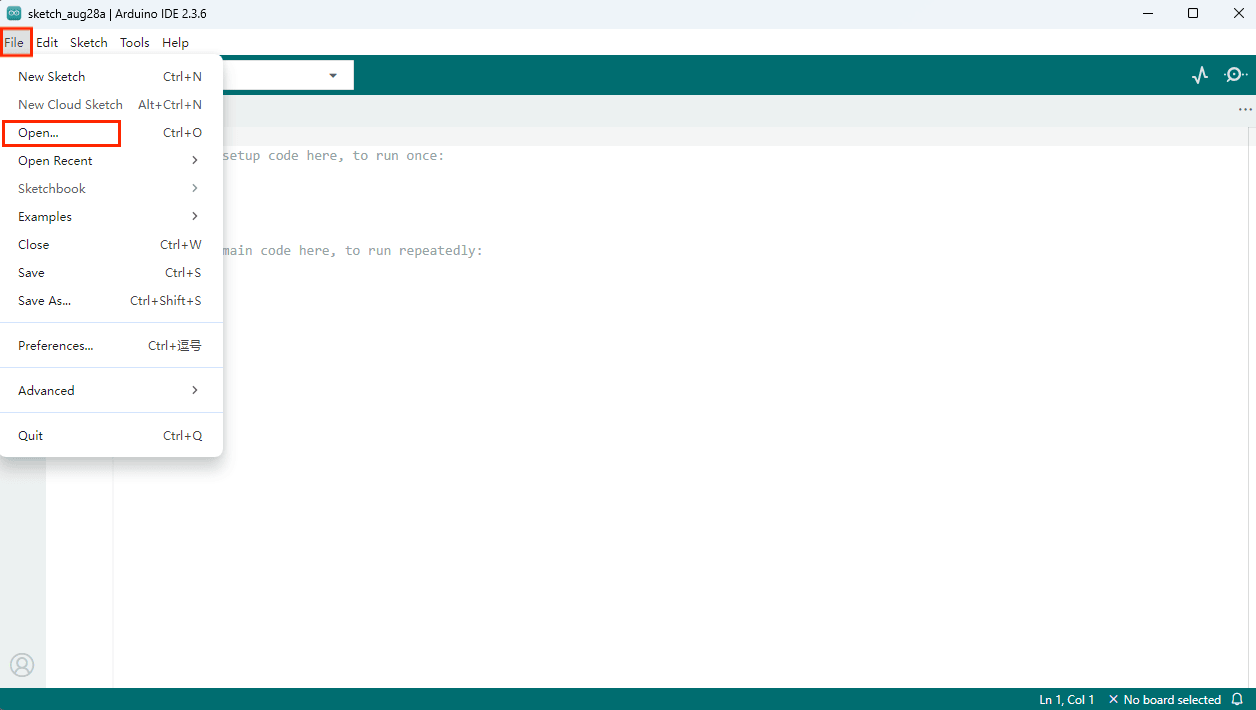
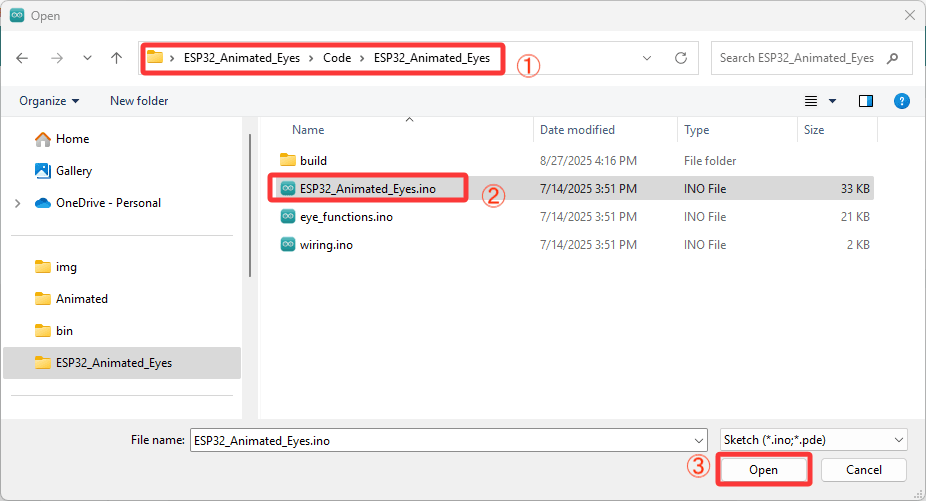
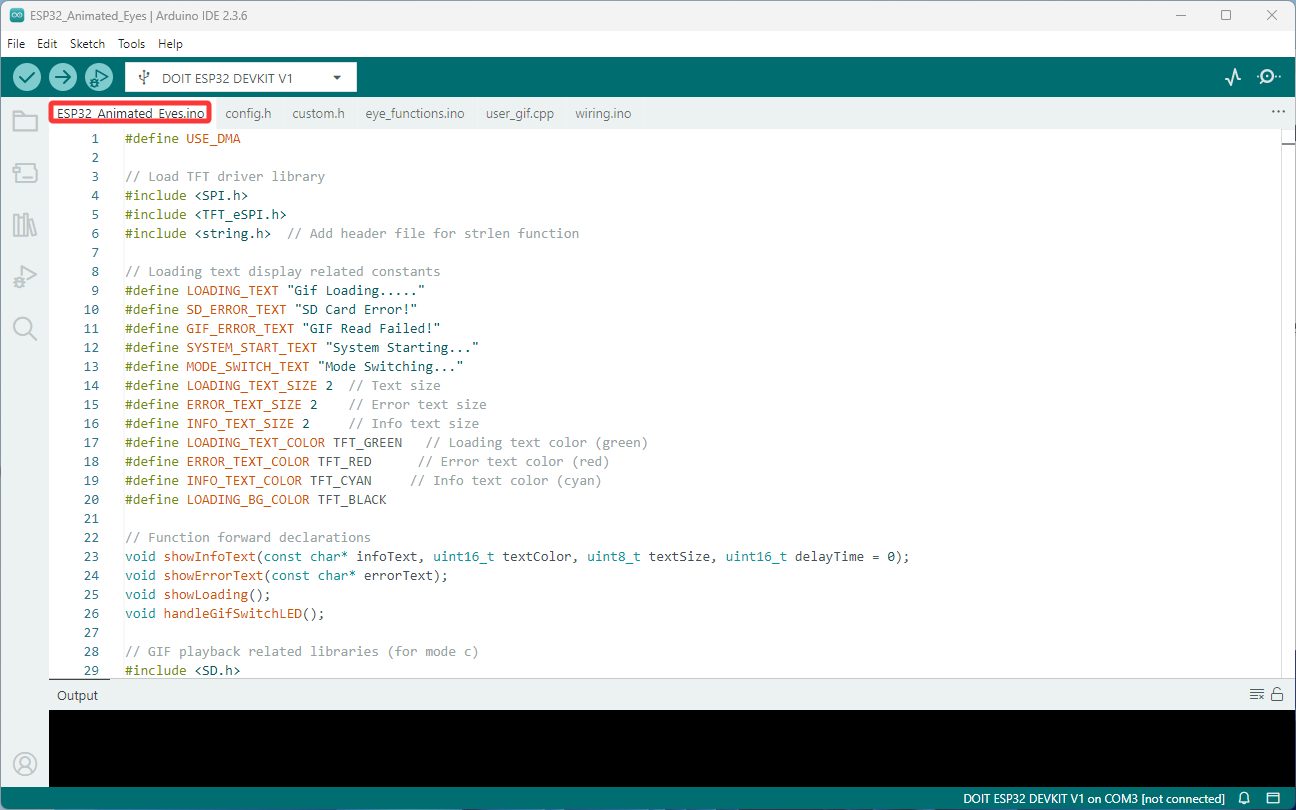
Connect Hardware Use a USB cable to connect the ESP32 DEVKIT V1 board to your computer.
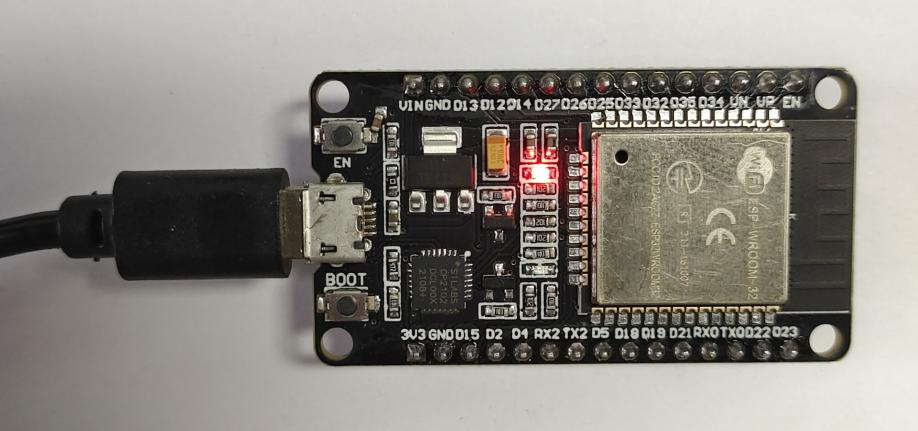
Select Board Tools → Board → ESP32 → DOIT ESP32 DEVKIT V1
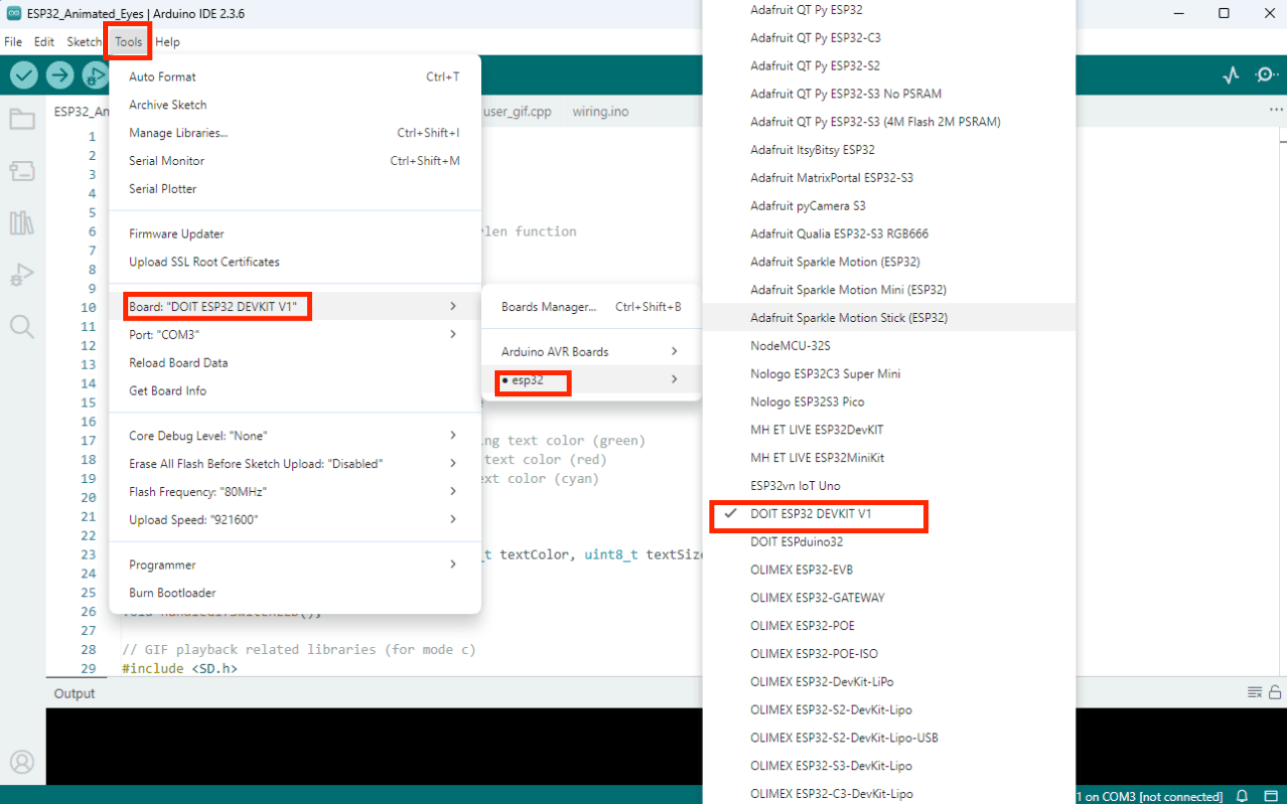
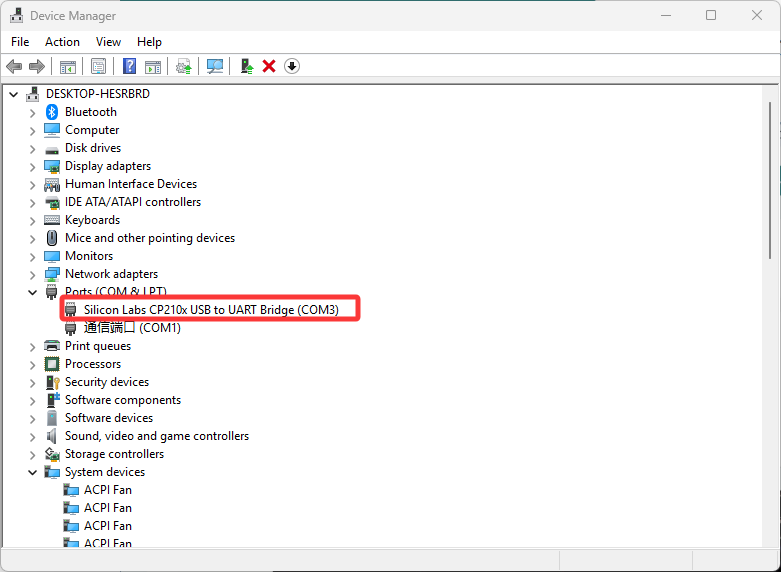
Select Port Tools → Port → (choose the correct COM port) If the COM port does not appear, install the CP2101 driver for Windows.

Upload

Click the Upload button to flash the code to your board.
